
Take a moment to look at your workspace. Count the devices plugged into that power strip beneath your desk—the one you purchased years ago and haven't thought about since.
How many devices are connected? Five? Seven? Is there a second strip plugged into the first?
The U.S. Consumer Product Safety Commission estimates that power strips contribute to approximately 3,300 residential fires annually. These incidents rarely stem from lightning strikes or faulty in-wall wiring. They result from the gap between how we casually use these devices and how they're actually engineered to function.
Let's examine seven critical mistakes that even experienced users make, the engineering principles behind why they matter, and practical solutions to optimize your power setup.
The 7 Most Common Power Strip Mistakes People Still Make in 2026

Mistake #1: Assuming All Power Strips Provide Surge Protection
This is the most costly misunderstanding in consumer electronics. A basic power strip simply multiplies available outlets—it provides no defense against voltage spikes from grid fluctuations, lightning, or large appliances cycling on and off.
True surge protectors incorporate Metal Oxide Varistors (MOVs) that absorb excess voltage before it reaches connected equipment. This represents fundamentally different engineering: a protective barrier between power surges and your devices.
The reality most manufacturers don't advertise: MOVs degrade with each surge they absorb. A surge protector might handle dozens of small spikes over several years, slowly depleting its protective capacity. The outlets continue working normally, but the protection is gone. Many budget units don't even include reliable indicator lights to warn you when protection has failed.
The fix: Verify your unit displays a joule rating on the packaging or chassis (e.g., 1,080J, 2,160J). No joule rating means no protection. For home offices, target at least 1,000 joules. For sensitive equipment like gaming systems or professional audio gear, aim for 2,000+ joules. If your current strip lacks this specification, replacement is overdue.
Mistake #2: Daisy-Chaining Power Strips
Connecting one power strip to another seems like a practical way to extend reach. In practice, it's one of the fastest routes to circuit overload.
Daisy-chaining multiplies current draw in ways the upstream strip wasn't designed to handle. The first strip in the chain bears the cumulative load of everything downstream, without adequate circuit protection at each connection point. Most residential U.S. circuits are rated for 15 amps, and daisy-chaining pushes you toward that limit while bypassing the safety mechanisms built into a single properly-rated unit.
The fix: Replace daisy-chained configurations with a single, appropriately sized power strip that provides sufficient outlets and cord length from the start.
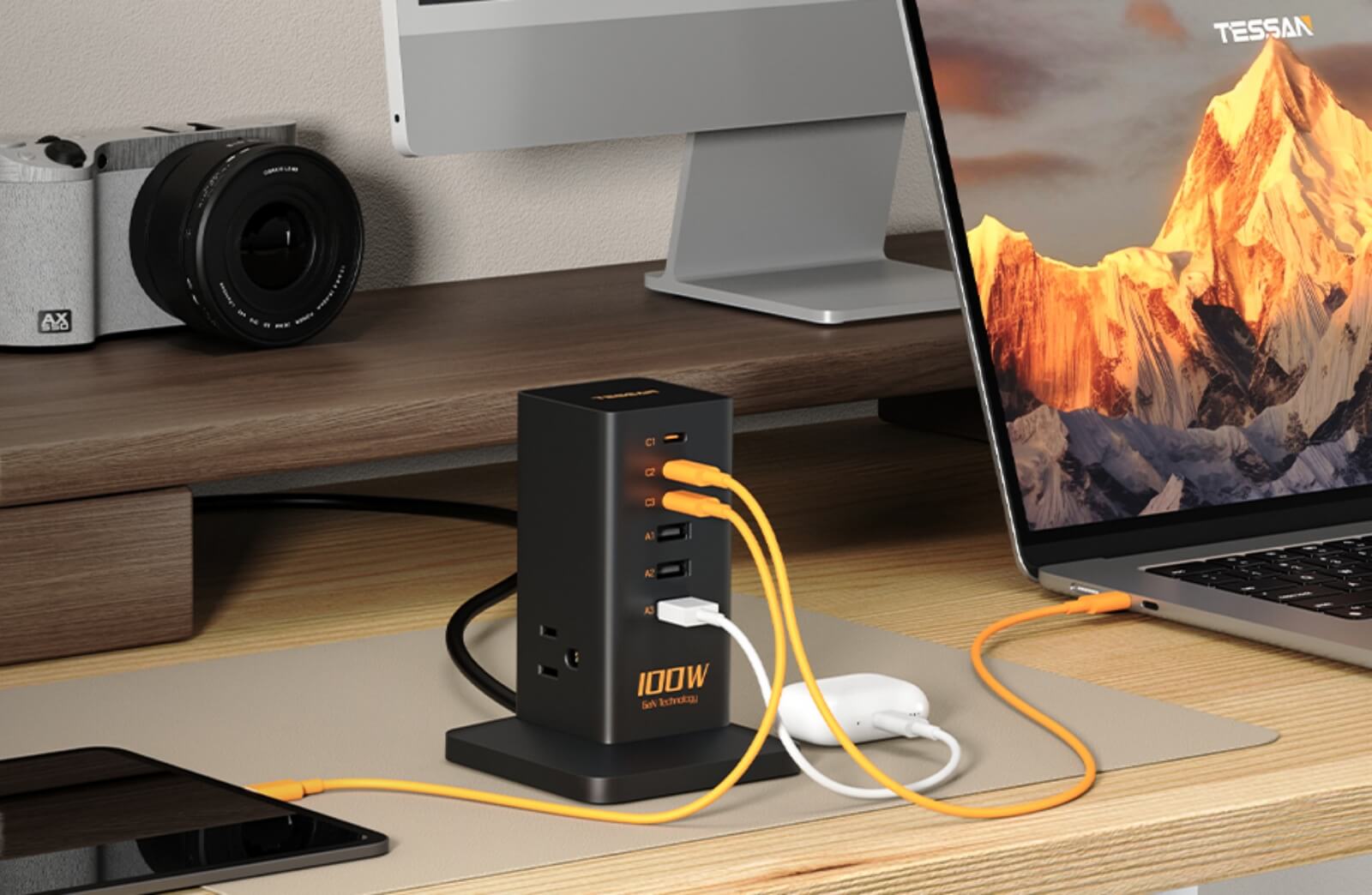
For high-density workspaces, consider tower-style surge protectors offering 12+ outlets with wide spacing, plus integrated USB-C Power Delivery ports. This design eliminates the temptation to chain units while keeping your entire load on one UL-certified device with proper overcurrent protection.

Tessan Flat Plug Surge Protector Power Strip TPM
- 6 AC Outlets & 3 USB Ports
- 0.35 in Ultra Thin Flat Head Design
- 1700J Surge Protector
- 2 Mounting Holes Design
Mistake #3: Exceeding Wattage Capacity Without Realizing It
Most 15-amp power strips are rated for 1,875 watts maximum (15A × 125V). While it's difficult to exceed the physical outlet count, it's surprisingly easy to exceed this wattage threshold.
Consider typical power consumption:
-
Space heater: 1,500W
-
Hair dryer: 1,200–1,800W
-
Laser printer (active printing): 500–600W
-
Desktop PC with dual monitors: 300–500W
-
Coffee maker: 800–1,200W
Connect a space heater and a laptop to the same strip, and you're immediately approaching the limit. Sustained high-wattage operation generates heat, degrading internal insulation and creating fire risk over time.
The fix: High-wattage heating appliances, motorized devices, and kitchen equipment must connect directly to wall outlets. Reserve power strips exclusively for electronics, chargers, and low-draw peripherals.
Mistake #4: Creating Concealed Heat Traps
Power strips generate heat during normal operation, which is why quality models include ventilation slots. Yet they're routinely pushed behind heavy furniture, buried under rugs, or trapped in enclosed cable-management boxes where air cannot circulate.
Restricted airflow accelerates component degradation. Additionally, routing power cords under carpets or rugs creates a concealed fire hazard—the weight and friction can damage insulation over time, and any heat buildup goes unnoticed until it's too late.
The fix: Maintain power strips in ventilated areas with at least 2-3 inches of clearance on all sides. If cable management requires positioning the unit behind furniture, ensure it isn't physically compressed and that air can flow around the housing.
For tight clearances behind furniture, flat plug designs sit flush against the wall, preventing the cord from bending at severe angles that stress internal copper conductors and create potential failure points.

TESSAN Flat Plug Surge Protector Power Strip 1026
- Long Extension Cord
- 8 Outlets (1875W Max) & 3 USB Ports
- 900J Surge Protector
- Suitable for Any Occasions
Mistake #5: Never Replacing Surge Protectors
Surge protectors have finite lifespans. Those internal MOVs absorb voltage spikes like a sponge absorbs water—and like a sponge, they eventually become saturated. After enough surges, the MOVs sacrifice themselves completely. The strip continues supplying power to your devices, but it's no longer protecting them.
What the industry doesn't emphasize: Even without major surge events, MOVs degrade from cumulative small spikes—the kind that happen when your refrigerator compressor kicks on, or during minor grid fluctuations. A surge protector in active use for 3-5 years has likely absorbed dozens or hundreds of these micro-events.
The fix: Replace surge protectors every 3 to 5 years as a baseline. If your unit features a "Protected" or "Grounded" indicator light and it goes dark, replace immediately—that's your only warning that protection has failed. Write the installation date on the bottom of the unit with a permanent marker so you never have to guess its age.
Mistake #6: Bypassing or Ignoring the Grounding Pin
Removing the third (grounding) prong to fit older two-prong outlets, or using ungrounded adapters, eliminates a critical safety feature. That grounding pin provides a safe path for fault current to flow in the event of internal equipment failure. Without it, fault current has nowhere to go except through the device's metal casing—turning every connected laptop, monitor, or appliance into a potential shock hazard.
The grounding system isn't just about preventing shocks. It also helps surge protectors function correctly. Many MOV-based surge protectors divert excess voltage to the ground wire. Without proper grounding, surge protection effectiveness drops significantly.
The fix: Never modify plugs by removing the grounding pin. If your workspace only has two-prong outlets, have a licensed electrician install properly grounded outlets or GFCI protection. When purchasing power strips, prioritize models with heavy-gauge grounded cords (14 AWG or 12 AWG) for maximum safety and current-carrying capacity.
Mistake #7: Ignoring Physical Damage and Environmental Factors
Frayed cords, loose outlets, and cracked housings aren't cosmetic issues—they're immediate safety hazards. Loose outlets cause electrical arcing, which generates intense localized heat. A single loose connection can reach temperatures sufficient to ignite surrounding materials.
Additionally, using standard indoor power strips in garages, basements, workshops, or covered patios exposes them to humidity and temperature fluctuations. Indoor strips lack the Ingress Protection (IP) ratings required to prevent internal corrosion from moisture, which compromises both safety and functionality.
Warning signs most people miss:
-
Plugs that don't grip firmly when inserted
-
Discoloration around outlet openings (indicates arcing)
-
Burning smell or warm-to-the-touch housing during normal use
-
Crackling sounds when plugging in devices
The fix: Inspect your power strips quarterly. If a plug doesn't seat securely, if the casing shows any damage, or if you notice any of the warning signs above, discontinue use immediately. For any damp or semi-outdoor environment, use only IP44-rated (or higher) weatherproof power strips specifically designed for those conditions.

TESSAN Flat Plug Tower Strip
- Flat Extension Cord
- Reliable on/ off switch
- 12 AC Outlets & 3 USB Ports
- Space Saving Design
What a Properly Configured Setup Actually Looks Like
Effective power management isn't about paranoia—it's about proportionality. Your power protection should match the value and sensitivity of your connected equipment.
Before your next upgrade, verify your setup meets these standards:
-
Adequate surge protection: Minimum 1,000J for general use; 2,000J+ for high-value electronics
-
Safety certifications: UL 1449 (4th edition) or ETL listings
-
Intelligent outlet spacing: Wide-spaced outlets to accommodate bulky adapters without blocking adjacent sockets
-
Modern connectivity: Integrated USB-C Power Delivery ports to reduce AC outlet demand
-
Quality construction: Flat wall plugs, heavy-duty copper wiring (14 AWG minimum), and fire-resistant housing materials
TESSAN surge protectors integrate these features as standard engineering practice, not premium add-ons. The goal isn't simply brand loyalty—it's understanding exactly what engineering standards your equipment deserves.
Take Action Today
Take 60 seconds right now to check the power strip under your desk. Look for the joule rating. Check the installation date. Inspect the cord for damage. Verify nothing high-wattage is connected.
The five minutes you invest in evaluating a single power strip today could prevent thousands of dollars in equipment damage—or far worse—tomorrow.