
At some point, most of us tried to fix a messy desk by buying one more charger.
A better phone stand. A "fast" USB-C brick. A little tray to corral the cables. Each one solved its own small problem — and quietly added one more thing to plug in, misplace, or trip over.
If your desk still feels cluttered after three or four of these purchases, the problem was never really the chargers. It's that nobody was solving the whole setup. Just the parts.
Why your desk keeps getting messier, not less
Here's the pattern we kept seeing when we talked to people about their desks: nobody is short on outlets. What people are actually short on is a system — one place where charging happens, instead of four or five separate ones scattered across the desk.
Every new device adds another charging point. Every new charging point adds another cable, another brick, another thing to find room for. You can buy your way into more chargers pretty easily. You can't buy your way into less clutter — not unless the thing you buy is designed to replace, not add.
Three questions worth asking before you buy another charger
Before adding anything new to your desk, it's worth answering these honestly:
- How many separate power sources are actually on my desk right now? Count them — the power strip, the laptop brick, the phone stand, the watch puck. Most people stop counting at four.
- How many times a day am I plugging and unplugging something? If the answer involves crawling under the desk at any point, that's the real cost — not the price tag.
- Can I tell, at a glance, what's actually charging? If you've ever picked up your phone assuming it charged overnight and found out otherwise, you already know the answer.
If two or three of these bother you, the fix usually isn't a better charger. It's fewer of them, working together.
What actually changes: before and after
Before: a power strip, a laptop charger, a wobbly phone stand, a watch puck, and a small pile of cables you've stopped consciously seeing.
After: one station. Laptop, phone, watch, and the rest of your desk power running through a single setup, with one cable to the wall.
Nothing about "after" requires you to own fewer devices. It just means those devices stop competing for space.
Three kinds of desks, three different fixes
Not everyone's clutter looks the same, so the fix isn't identical either.
If you're working hybrid, splitting time between office and home — your desk needs to survive a full workday: laptop running, phone visible for notifications, watch charged before you leave. The priority is reliability you don't have to think about, not the smallest possible footprint.
If you're building out a dorm room or a small apartment setup — space is the real constraint, and so is how the desk looks on camera or in person. The goal here is closer to a makeover than a repair: fewer visible cables, one clean surface, something that photographs well.
If you're managing a shared home office or family desk — the priority shifts to something that just works for whoever sits down, without instructions. Fewer failure points, not more features.
Different starting points, same underlying fix: consolidate instead of accumulate.
New phone, new watch, same old charging problem
This fall brought a full refresh across Apple's lineup — the iPhone 18 Pro and the first foldable iPhone Duo, alongside the Apple Watch Series 12 and Watch Ultra 4. If you're upgrading any of them, there's a detail worth noticing before you set the new device down on the same old desk: a new phone doesn't fix a cluttered charging setup. It just adds a new device to the pile.
This is usually the moment people notice their existing setup the most — a slightly wobbly stand isn't a problem you feel every day, until there's a brand-new phone sitting on it. The same goes for a MacBook charging next to AirPods next to a watch puck that's always slightly out of reach.
If you're already resetting your devices this season, it's a reasonable moment to reset how they charge, too — not because the old way was broken, but because now is when you'd actually notice.
Where TESSAN Magic 65 fits into this
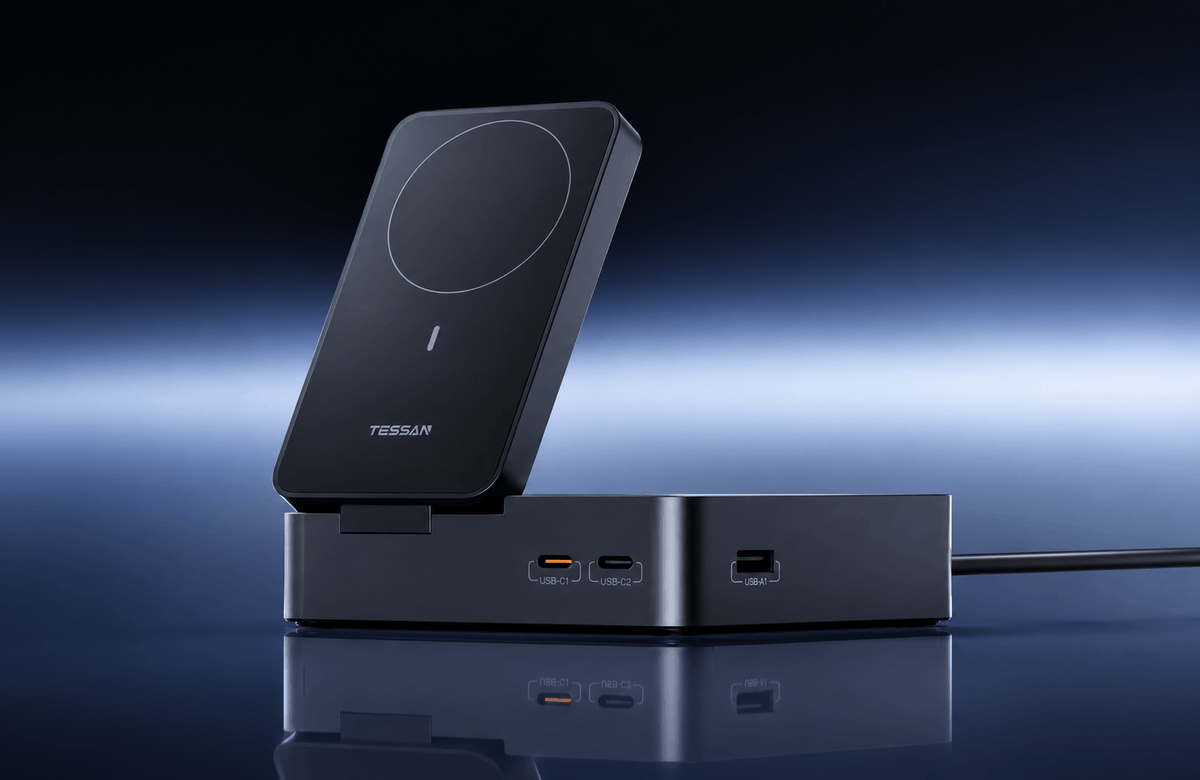
We didn't design Magic 65 around any single device — it's built around the desk as a whole. One dedicated port for a laptop. A magnetic charger that holds a phone upright, tilting to whatever angle you're actually looking at. A detachable puck for a watch, so it charges when it needs to and comes with you when it doesn't. Two AC outlets for everything else that lives on a desk and doesn't care how new your phone is.
It's not trying to be the most powerful charger on your desk. It's trying to be the only one you think about.
Frequently asked questions
Q1: Can a desk charging station actually power a laptop?
Yes — look for one with a dedicated laptop port rated for your laptop's needs, rather than a shared USB port. Magic 65 includes a dedicated port built specifically for laptop charging, separate from the phone and watch charging.
Q2: Can I use wireless and wired charging at the same time?
On a well-designed station, yes. The wireless pad, the wired ports, and the AC outlets are separate systems that can run together — though total shared power is always split across whatever's plugged in at once, which is worth understanding before you assume everything charges at full speed simultaneously.
Q3: Are desk charging stations with this many outlets safe?
Look for stated certifications, clear documentation on how power is distributed across ports, and a company that explains its limits rather than rounding everything up to the biggest number on the box. That transparency is usually a better safety signal than the wattage number itself.
Q4: Does a magnetic charging station work with the new iPhone lineup and Apple Watch?
Magnetic wireless charging is built around the magnetic charging system built into recent iPhone models, and the same station typically supports a range of Apple Watch models through a detachable charging puck — worth confirming against your specific model before buying.
Browse more about TESSAN MAGIC 65